

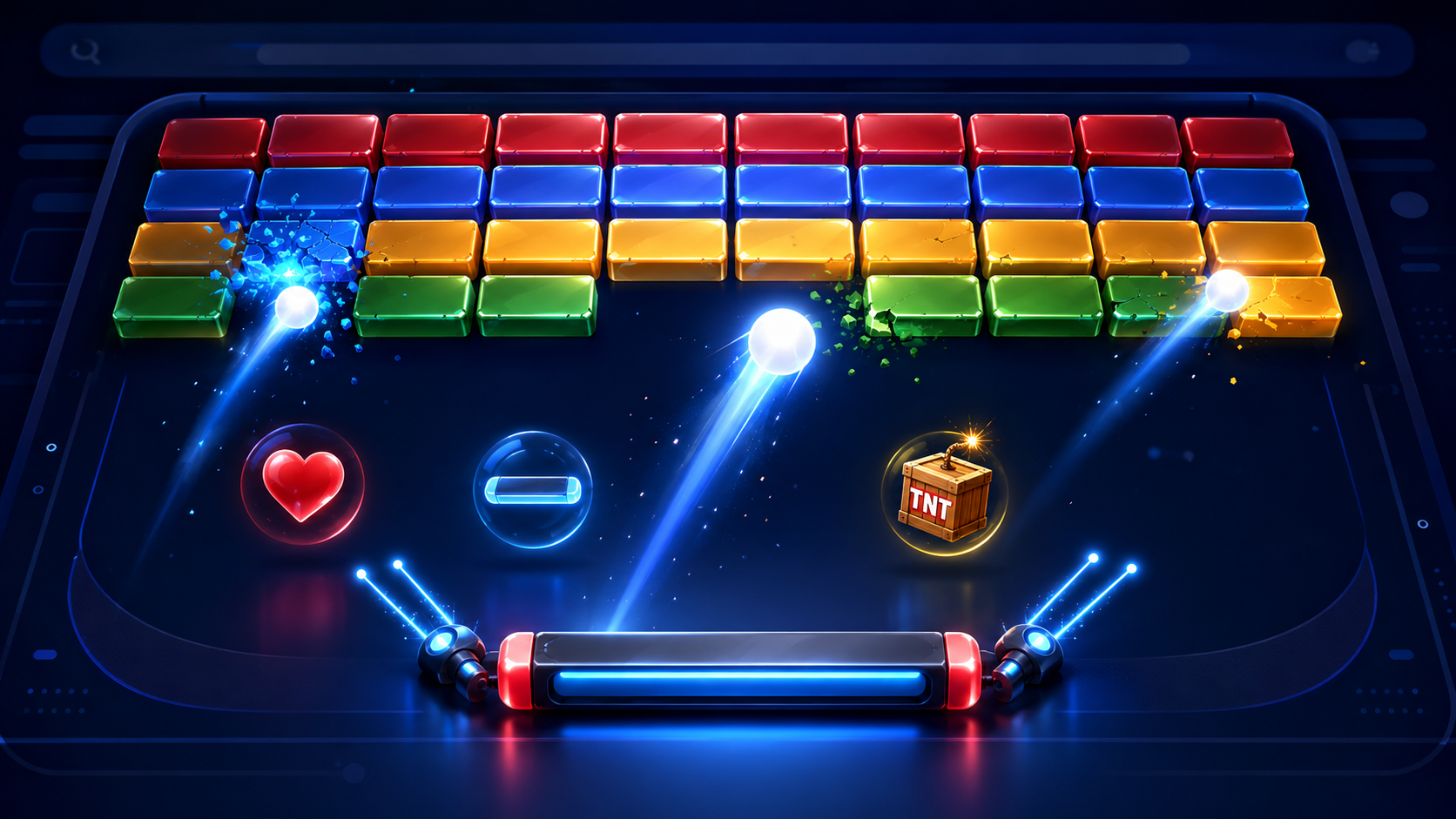
Block Breaker Google is Google Search’s free, browser-based brick-breaking game. Search “block breaker,” select Play, and move the paddle to keep a bouncing ball in play while it destroys coloured blocks. It works on desktop and mobile without an app installation. The simple opening soon develops into a test of timing as tougher blocks, extra balls, upgrades, and hazards appear. Success depends on predicting returns, protecting lives, and knowing when a power-up is safe to collect. This guide covers verified access, controls, gameplay, scoring, high-score tactics, troubleshooting, and the difference between Google’s current game, Atari Breakout, and unofficial copies. It also explains why no official world record can currently be claimed.
Quick Game Facts
| Item | Verified detail |
|---|---|
| Type | Single-player, Breakout-style arcade game |
| Platform | Google Search and Google-hosted web game |
| Cost | Free |
| Download or account | Neither required for basic play |
| Desktop and mobile | Both supported |
| Objective | Keep the ball in play and clear blocks |
| Controls | Arrow keys on desktop; direct touch or taps on mobile |
| Starting lives | Three |
| Rounds | Four new rows follow each cleared board |
| Official leaderboard | None confirmed |
What Is the Google Search Block Breaker Game?
A paddle returns a bouncing ball into rows of blocks. Google presents this as a Search game or Easter egg, not a download or Google Doodle. The Google-hosted page calls it a modern take on a classic arcade game. Clones, extensions, and similarly named apps are separate.
How to Open Block Breaker Google
The documented trigger is “block breaker.” A longer query may work, but use the short phrase if the card is absent.
Desktop
- Open Google Search in a current browser.
- Search block breaker.
- Select Play on the interactive card.
- Use the left and right arrow keys.
Android
Open Chrome or the Google app, run the query, tap Play, and use the touch controls.
iPhone and iPad
Use Google Search in Safari, Chrome, or the Google app. It was reported on desktop, mobile web, Android, and iOS. No APK or App Store download is needed. Access may vary by region, browser, account, or interface.
Controls and Basic Gameplay
| Action | Desktop | Mobile |
|---|---|---|
| Move paddle | Left and right arrows | Direct touch or taps |
| Start | On-screen Play control | On-screen Play control |
| Sound | Volume icon | Volume icon |
| Expand, pause, restart | Use if displayed | Depends on the interface |
Track the ball and return it before it crosses the bottom. A miss costs a life, while clearing the board adds four rows. Some reinforced blocks need several hits, and special blocks release effects. Google publishes no detailed physics guide, so exact-angle claims are not official rules.
Lives, Rounds, Blocks, and Scoring
A run starts with three lives, and extra lives may appear. A miss removes one; zero ends the run.
The top display tracks points from broken blocks, but Google publishes no exact formula, combo table, maximum, or speed-bonus rule. Tougher targets and simultaneous effects increase the challenge; no fixed level count or speed curve is confirmed. A current or locally preserved personal score is not a global ranking.
Verified Power-Ups and Effects
9to5Google documented extra balls, a longer paddle, TNT, dual blasters, and earnable lives. Android Authority also observed downgrades.
| Item | Effect | Tactical note |
|---|---|---|
| Extra balls | Adds active balls | Clears quickly, but divides attention |
| Longer paddle | Enlarges catching area | Helpful, but unsafe to chase during a low return |
| TNT | Explodes nearby blocks | Strong against clustered targets |
| Dual blasters | Shoots upward from the paddle | Attacks stubborn blocks; keep tracking the ball |
| Extra life | Adds a life | Collect when its path is safe |
| Downgrade | Applies a harmful modifier | Avoid when identifiable |
The set can change. Do not import penetrating balls, time bonuses, or other clone features unless Google’s current interface shows them.
How to Score Higher in Block Breaker Google
- Watch the ball first. Keep the paddle in peripheral vision and track the descent.
- Move early. Read the direction after a collision. Small corrections are safer than one late dash.
- Vary the return. When contact changes the rebound, use off-centre hits to target another column.
- Create an upper channel. A narrow opening can send the ball behind the formation for several hits.
- Choose survival over pickups. Check the ball’s height and direction before chasing any bonus.
- Protect the lowest ball. During multi-ball, prioritise the ball closest to the bottom instead of tracking all equally.
- Recover near the centre. From there, both edges remain reachable when the next path is uncertain.
- Use blasters calmly. Fire helps, but the live ball determines survival.
- Preserve early lives. Use the opening formation to learn your device’s responsiveness.
- Refocus after a clear. The last block and the first return of a new formation often catch relaxed players.
Common Mistakes and Desktop Versus Mobile
Runs end when players chase a power-up, move too late, camp at one edge, or try to save every multi-ball. Clones may also use different controls.
| Factor | Desktop | Mobile |
|---|---|---|
| Input | Arrow keys | Touch or taps |
| Visibility | Larger field | Fingers may cover part of the field |
| Precision | Predictable key movement | Immediate direct positioning |
| Best use | Longer focused runs | Convenient short sessions |
Desktop offers a clearer view; touch provides convenient direct positioning.
Why Block Breaker Google Is Not Appearing
- Search the exact phrase block breaker on Google.
- Refresh and check the internet connection.
- Update the browser, then try Chrome or the Google app.
- Temporarily disable content-blocking extensions.
- Confirm JavaScript is enabled.
- Try a normal tab, another device, or another network.
- Allow for regional, account, and interface differences.
- Avoid APKs, extensions, and lookalike sites.
The Google-hosted game may remain available even when its Search card is not displayed on a particular setup.
Current Search Game Versus Atari Breakout
| Detail | Current Search game | Older Atari Breakout Easter egg |
|---|---|---|
| Launch | Reported January 2025 | May 2013 |
| Surface | Search card and dedicated game | Google Images results |
| Access | Search “block breaker,” press Play | Search “Atari Breakout” in Images |
| Visuals | Coloured blocks and power-ups | Image thumbnails became blocks |
| Current status | Google-hosted page available | Original Images behaviour not confirmed |
The 2013 feature gave players five balls and turned image results into blocks, according to Search Engine Watch. The newer game has a purpose-built board, three starting lives, and power-ups. Browser clones and similarly named apps remain separate.
World Records, Safety, and Unofficial Copies
Is There an Official World Record?
No Google-run global leaderboard, recognised record, or verified maximum was confirmed. Screenshots, videos, and community boards allow comparison but are not Google-certified.
Is It Safe and Free?
Google’s version is free and needs no installation or sign-in. Confirm the google.com host. A Play Store name does not prove ownership. Avoid sites requesting an APK, unusual permissions, payment details, or an extension.
Frequently Asked Questions
How do I open Block Breaker in Google Search?
Search block breaker on Google, find the interactive card, and select Play. If it is missing, refresh, update the browser, or try Chrome, the Google app, or another device. Card placement and availability may vary across regions, accounts, and interfaces.
Is Google Block Breaker free?
Yes. Google’s Search version needs no purchase or subscription and launches in the browser without an app download. Independent sites and similarly named mobile apps may use advertising, payments, or different data practices, so confirm the host before playing.
Can I play it on Android or iPhone?
Yes. It has been documented on mobile web and the Google app for Android and iOS. Search for the game, tap Play, and use the touch interface. Layout and responsiveness depend on the phone, browser, and current Search presentation.
What controls does the game use?
Use the left and right arrow keys on desktop. On mobile, control the paddle through direct touch or tapping. The volume icon enables sound. Only expect pause, restart, or expansion controls when they are visible in your current interface.
How can I improve my high score?
Watch the descending ball, move early, stay near the centre when uncertain, and create a channel behind the blocks. During multi-ball, protect the lowest ball first. Collect bonuses only when their path does not put the current return at risk.
Is there an official Block Breaker Google world record?
No Google-operated leaderboard or official record could be verified. Your current score or locally displayed best is a personal benchmark. Screenshots and community boards can support friendly competition, but their scores are not automatically authenticated or recognised by Google.
Conclusion
Block Breaker Google places the familiar brick-breaking formula inside an easily accessed Search game with no download. Strong runs depend less on frantic movement than on ball prediction, early paddle positioning, and controlled returns. Extra balls, a wider paddle, TNT, blasters, and bonus lives can raise a score, but a tempting pickup is never worth an avoidable miss. Desktop provides a broad view and arrow-key input, while mobile offers convenient touch control. Search presentation may change across browsers, devices, accounts, or regions, so use the exact “block breaker” query and follow safe troubleshooting steps when the card is absent. Focus on preserving lives and improving your own score rather than pursuing an unverified world-record claim.